DevOps for SaaS: The CI/CD Pipeline Every SaaS Needs
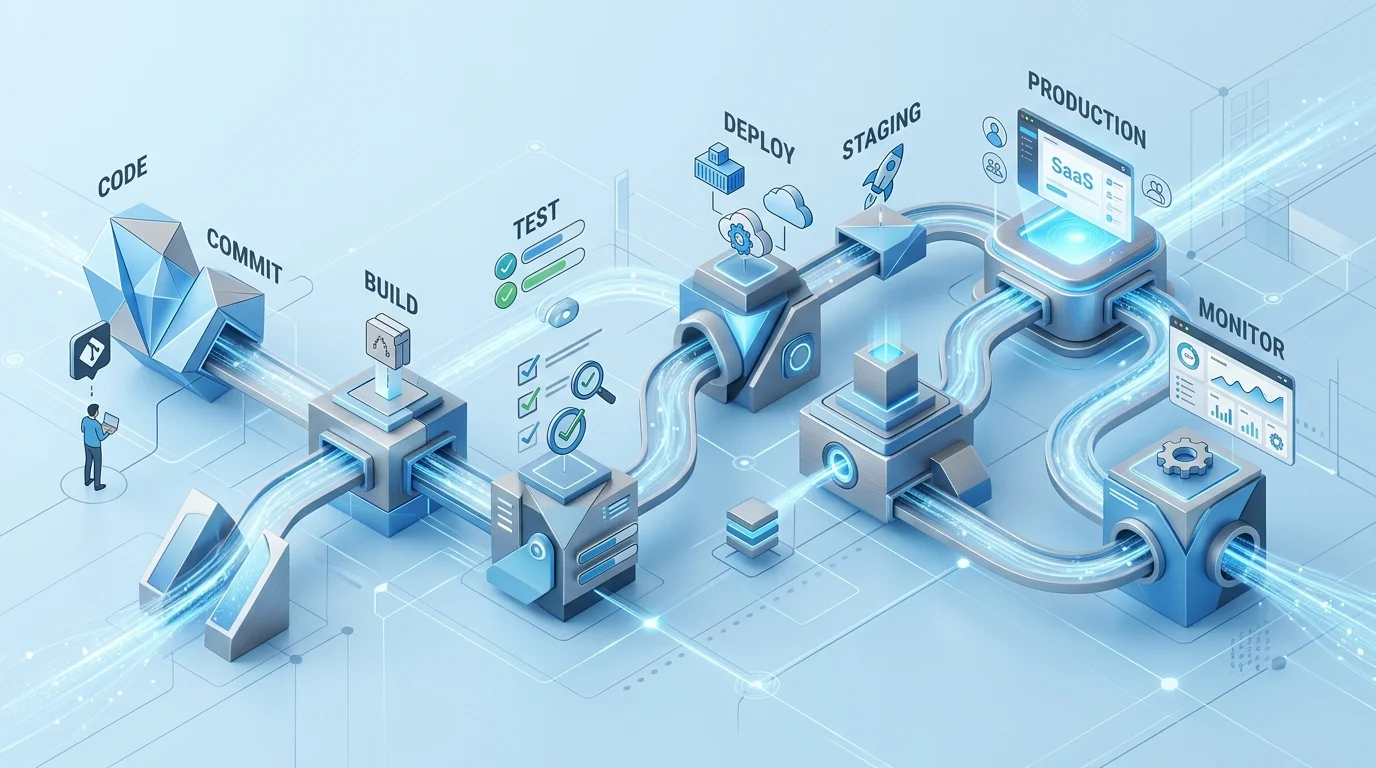
Why CI/CD is non-negotiable for SaaS
SaaS products live in production. Unlike packaged software, where a release goes out quarterly and users run whatever version they have, a SaaS product is continuously changing — new features, bug fixes, performance improvements, security patches — and all your customers are on the current version at all times.
This means that every time you deploy, you are deploying to all your customers simultaneously. And it means you are deploying frequently — or you should be. A SaaS product that deploys monthly is moving too slowly to respond to customer feedback, fix bugs quickly, or stay competitive. Most mature SaaS teams deploy multiple times per day.
The only way to ship this frequently without causing incidents is with a robust CI/CD pipeline. Without it, each deployment is a manual, error-prone process that requires a senior engineer's attention and carries meaningful risk. With it, deployments become routine, low-stress events that any engineer can trigger.
Continuous Integration: what it is and what it must include
Continuous Integration (CI) is the practice of integrating code changes frequently — ideally several times per day — and running automated checks against every integration. The goal is to catch problems quickly, when they are cheap to fix, rather than discovering them in a manual integration test days or weeks later.
A CI pipeline runs on every push to the repository (or every pull request). It must include:
Automated tests
This is the core of CI. Your test suite should run on every code change and must pass before the change can be merged or deployed. What the tests cover depends on your application, but every SaaS product should have:
- Unit tests: Tests for individual functions and modules in isolation. Fast to run, highly specific when they fail.
- Integration tests: Tests that verify components work together correctly — typically testing database interactions, API endpoints, and external service integrations.
- End-to-end tests: Tests that simulate real user journeys through the application. Slower and more fragile than unit tests, but they catch issues that unit and integration tests miss.
Static analysis and linting
Automated code quality checks that catch common mistakes, enforce consistent code style, and flag potentially dangerous patterns. These run in seconds and catch a surprising range of issues that human reviewers miss.
Security scanning
Dependency vulnerability scanning (checking whether any of your third-party libraries have known security vulnerabilities) should run on every build. Tools like Dependabot, npm audit, or Snyk integrate into most CI systems and add minimal build time.
Build verification
The application should be built as part of every CI run. This catches build-time errors — missing dependencies, compilation failures, asset generation problems — before they reach a deployment step.
Continuous Delivery and Deployment: the pipeline to production
Continuous Delivery (CD) extends CI to ensure that every code change that passes the CI pipeline is in a deployable state. Continuous Deployment goes one step further — automatically deploying every passing change to production without human intervention.
Most SaaS products sit somewhere between the two: every passing change is automatically deployed to a staging environment, and promotion to production requires a deliberate action (a button click or a tag) but no manual steps beyond that.
Staging environment
Staging is a production-like environment where code that has passed CI is deployed automatically. It is used for manual testing of new features before they go to production, and as the environment where any pre-deployment verification happens.
Staging should be as close to production as possible: the same infrastructure, the same configuration, the same database structure. Differences between staging and production are a source of bugs that are hard to reproduce and hard to diagnose.
Database migrations
Database schema changes are among the most common causes of deployment failures. They need to be managed carefully in a CD pipeline:
- Migrations should run automatically as part of the deployment process — not manually after deployment
- Migrations should be backwards-compatible wherever possible, so that if a deployment needs to be rolled back, the previous version of the application can run against the new schema
- Large data migrations should be separated from schema migrations and run as background jobs to avoid locking tables and causing downtime
Zero-downtime deployments
Your deployment process should not cause downtime for your users. Techniques for zero-downtime deployment include rolling deployments (updating application instances one at a time), blue-green deployments (maintaining two identical environments and switching traffic between them), and feature flags (deploying code that is not yet active for users).
Which technique is appropriate depends on your infrastructure and application architecture, but the principle — that deployments should be invisible to users — should be a baseline requirement for any SaaS product with paying customers.
Observability: knowing what happened after deployment
A CI/CD pipeline is not complete without observability — the ability to understand what your application is doing in production and to detect problems quickly after a deployment.
The minimum viable observability stack for a SaaS product includes:
- Error tracking: A service that captures application errors, groups them by type, and alerts you when new errors appear. Sentry is the most widely used option and has a generous free tier.
- Application performance monitoring: Tracking response times, throughput, and resource usage over time so you can detect performance regressions after deployments.
- Alerting: Automated alerts when error rates spike, response times degrade, or infrastructure metrics hit defined thresholds.
- Deployment markers: Your monitoring dashboards should show when deployments occurred, so you can correlate changes in metrics with specific code changes.
Getting started if you do not have a pipeline yet
If you are reading this because you do not have a proper CI/CD pipeline yet, the good news is that modern tooling has made this much more accessible than it used to be. GitHub Actions, GitLab CI, and CircleCI all provide well-documented, relatively easy-to-configure CI/CD pipelines. Most can be configured in a day for a simple application.
Start with CI before CD. Get your tests running automatically on every pull request. Then add automatic deployment to staging. Then formalise the process for promoting to production. Do not try to implement everything at once — a working CI pipeline that catches bugs is immediately valuable, even before you have automated deployments working.
 Custom SaaS Development
 DevOps & Cloud